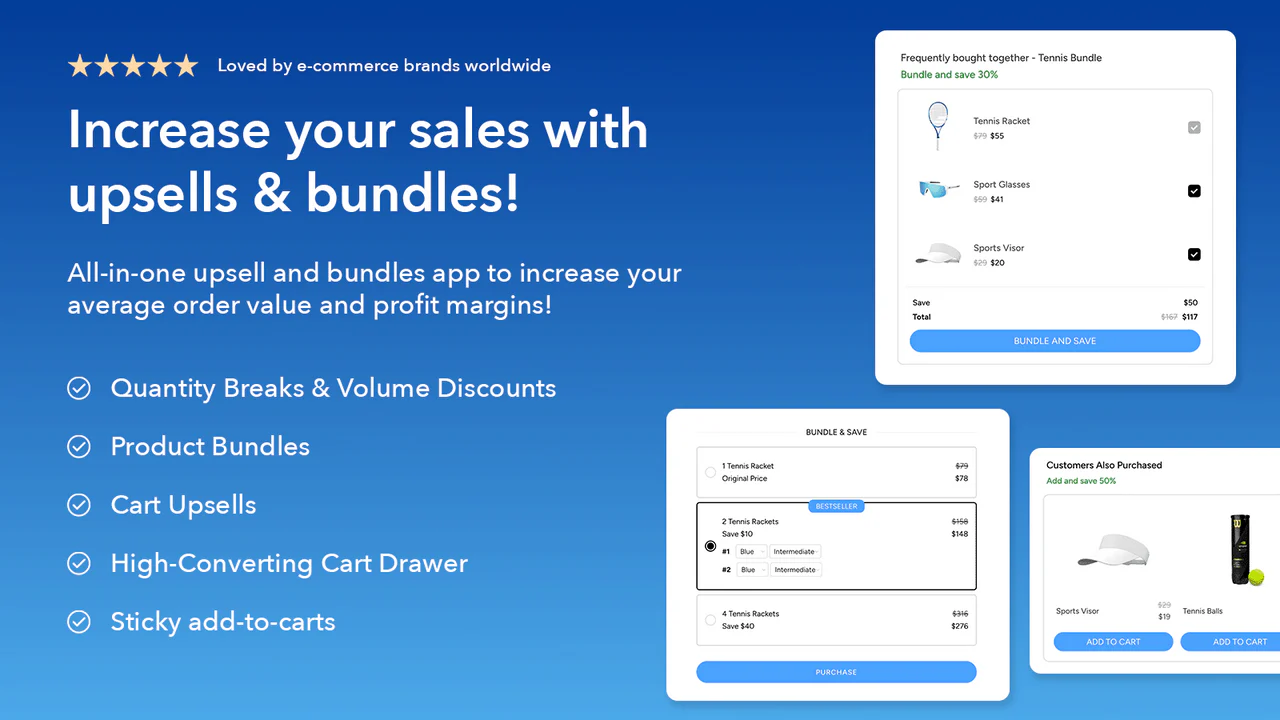

Upsell & Cross-sell
LaunchLab
Increase average order value with bundles and upsells
Create product bundles, quantity breaks, cart drawer offers, product-page upsells and sticky add-to-cart bars in Shopify—without editing theme code.
Outpost Apps helps Shopify merchants increase order value and create stronger product imagery—with tools that are quick to install, easy to understand and transparent about pricing.
No oversized suite or vague demo request. See the actual product, exact pricing and install path for each app.
Upsell & Cross-sell
Increase average order value with bundles and upsells
Create product bundles, quantity breaks, cart drawer offers, product-page upsells and sticky add-to-cart bars in Shopify—without editing theme code.
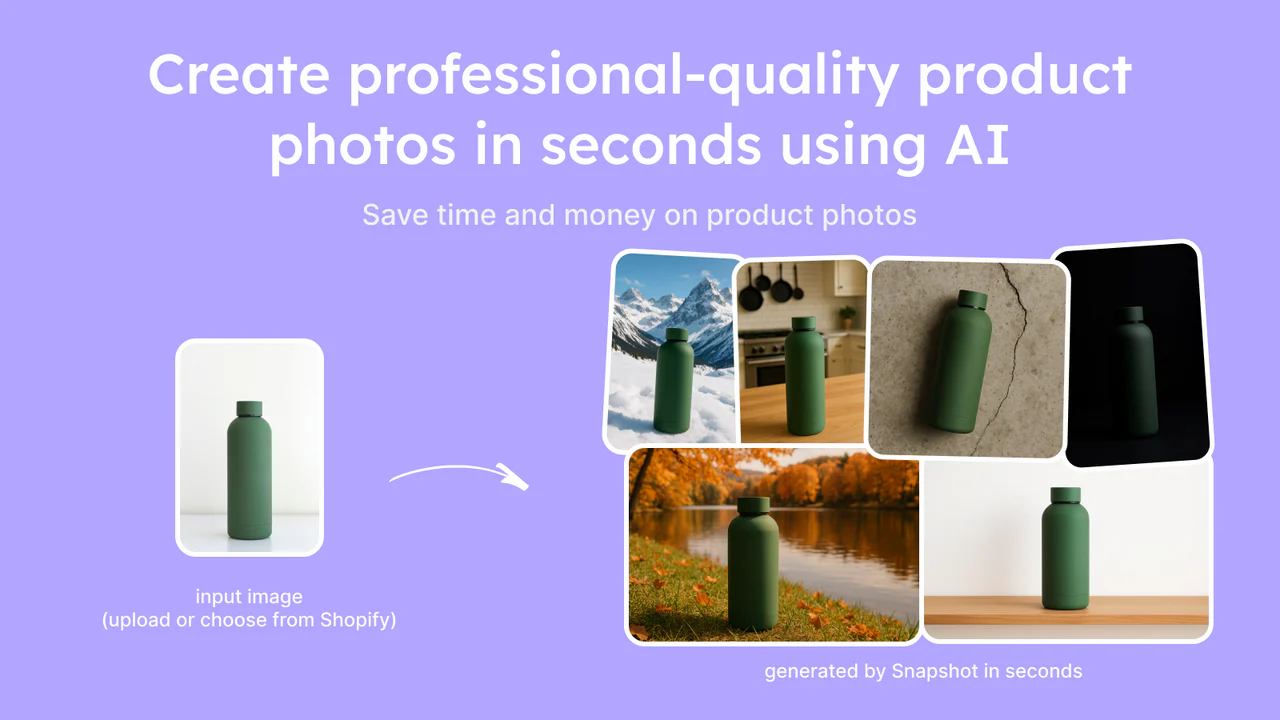

AI Product Photography
Create professional product photos with AI
Turn simple product shots into polished merchandising images using AI templates or custom prompts, then attach them to Shopify products in one click.
Review the product, price, billing channel, support route and company information without hunting through fine print.
Operated by Outpost Apps Pte. Ltd. from our listed Singapore business address.
Paid plans and credits are approved inside Shopify and appear on your Shopify invoice.
Read our privacy, terms, security, cancellation and refund information before installing.
Email or open support chat. Messages go to the team responsible for the apps.
No sales call and no off-platform checkout.
Check features, current pricing and permissions on the official Shopify App Store.
Authorize the app and approve any paid charge inside your Shopify admin.
Follow the in-app workflow, then contact us directly if you need help.
Use the official Shopify App Store listing linked from each product page. We do not ask you to sideload software or pay from this marketing site.
Paid plans and one-time credit packs are approved and billed through Shopify in U.S. dollars. Outpost Apps does not receive or store your full card number.
Yes. LaunchLab offers a free plan, while Snapshot includes two image-generation credits at no charge.
Email support@outpostapps.com, open support chat, or review our billing, cancellation and refund policy.
Both products let you start without an upfront subscription charge.